
Quick answer
Open lagoslife.app and choose Log in to enter an existing account with its username or linked email and password. If a saved character already appears with Continue, check Signed in as @username before resuming. Use Forgot password? for recovery or Can't get in? for support when the ordinary login does not work.
On this page
Watch the relevant source segment
Zik the Programming Guy · 0:51–0:58 on YouTube
The original video link remains available if the player cannot load.
Check which entry screen you have
| Screen you see | Action to take | What to check afterwards |
|---|---|---|
| Saved character, Continue and Signed in as | Check the handle, then choose Continue | The character belongs to your intended account |
| Public city with Sign up and Log in | Select Log in | The existing-account form opens |
| Create account tab | Switch to Log in | The identifier field says Username or email |
| Forgot password? | Follow the account-verification questions | Follow the game's result; opening recovery alone does not restore access |
Zik the Programming Guy — How to Play Lagos Life Game PC, 0:51–0:58 shows a saved character and the Continue control. This is the useful part of the PC tutorial for a returning player: it identifies an existing session, without demonstrating a fresh password login.
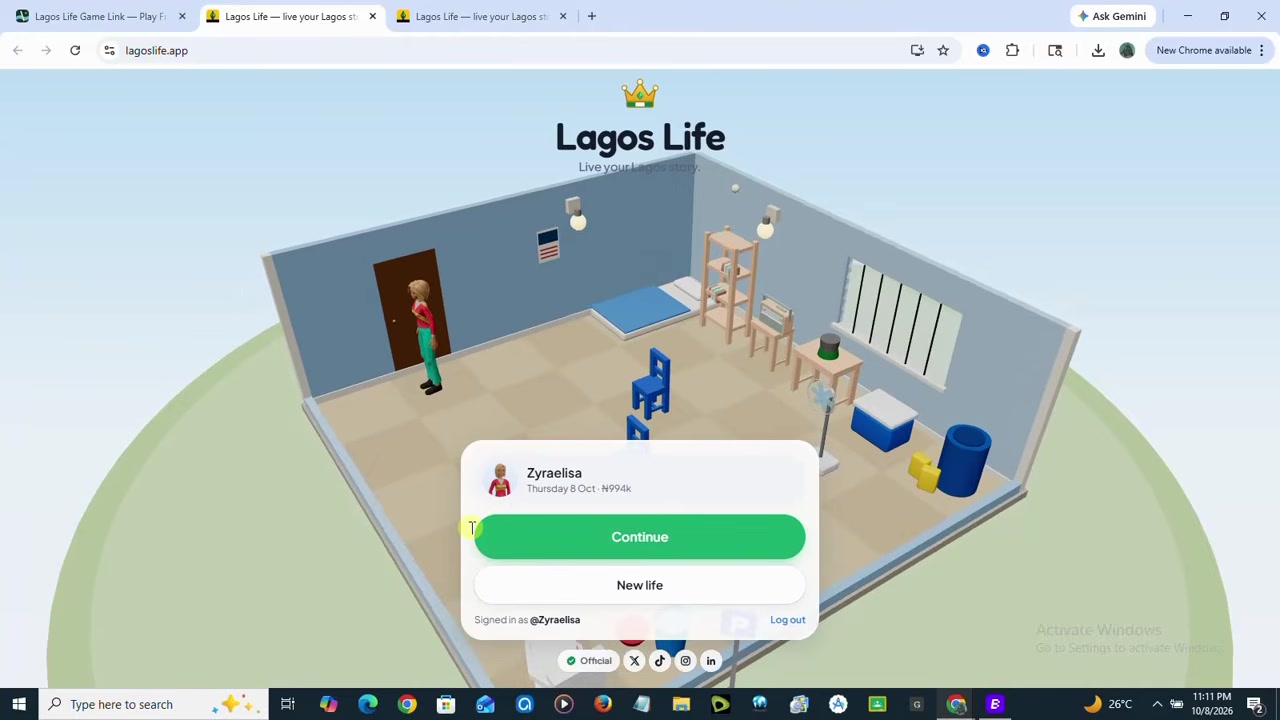
Video frame: Zik the Programming Guy, 0:55, uploaded 8 October 2026. Play the seven-second Continue excerpt.
Choose Continue when you want that saved character. New life is a separate choice; it does not recover a character you cannot access.
Use the ordinary login form
- Open the official game address in your browser.
- Choose Log in, then check that the Log in tab is selected.
- Enter your account's username or its linked email in Username or email.
- Enter your password. The eye control can help you check a typing mistake.
- Select Log in and read the response. Confirm your account and character before continuing.
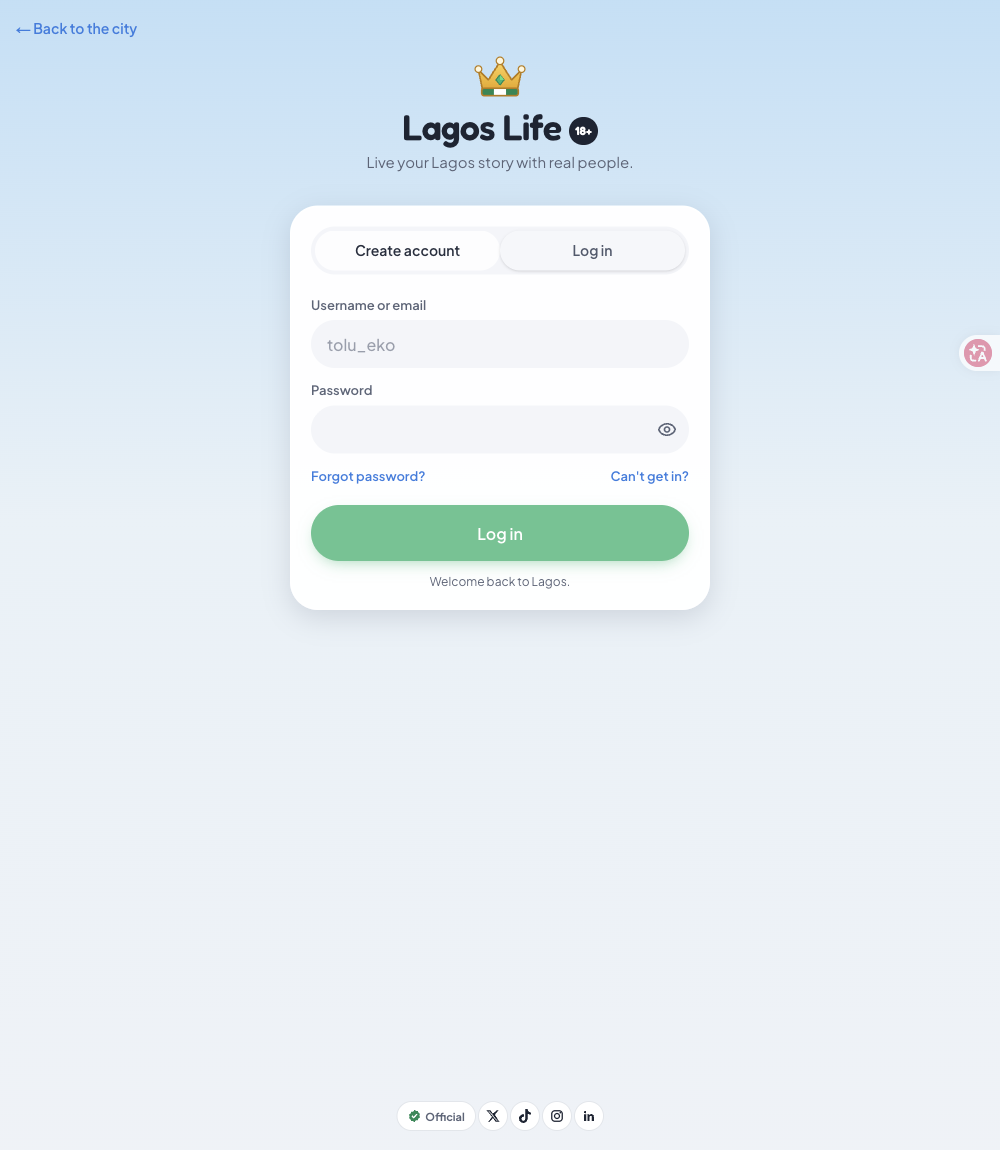
Official form captured on 11 October 2026 and rechecked against the saved image for this revision. A visible public city is not proof that your account is signed in.
The account tutorial by MoneyPro-Tips, 0:50–1:25 also shows the official account tabs, but follows registration. Use it to recognise the entrance, rather than as a demonstration of returning to an existing character. For a first account, follow sign up.
Forgot your password?
Choose Forgot password? on the official form and enter your username or email. The recovery screen inspected on 11 October says it asks questions that the account owner should be able to answer. Follow those questions and the result shown by the game.
The older registration video describes email recovery. The inspected registration form now says the game does not send codes, and recovery offers account-verification questions. Follow the current screen instead of waiting for a code promised by an older tutorial. Official account entry
Get support when you cannot log in
Choose Can't get in? → Ask the team. The inspected public support form asks for the account's username or email, optional ownership details and an optional contact. It says the ticket works even without that contact.
Keep the ticket code provided after a successful submission. Use Check a ticket to return to the request. The support panel says the team will not ask for your password or money; keep passwords and ticket codes out of public chat. Opening a ticket does not itself prove ownership or guarantee recovery. Official support entry
When the game does not open your account
| Problem | Next check |
|---|---|
| Identifier or password rejected | Recheck the intended account, then use its recovery path |
| A different saved character appears | Check Signed in as before choosing Continue |
| Login remains loading | Read any error and check the connection before retrying |
| You opened the game inside another app | Try the official address in your normal browser |
| Recovery does not resolve access | Use Can't get in? and keep the support ticket code |
Avoid clearing browser data first when you do not know how to sign back in. Device access and home-screen installation are covered in the app guide.
The video establishes the saved-session screen. The ordinary login, recovery and support instructions use the official public interface inspected on 11 October 2026; no password reset, support submission or fresh credential login was performed for this revision.